THE PLAYER
The player character in Rage Quit is really a laundry list of smaller features, which at the broadest level are attacking, parrying, movement, health, and rage.
Attacking
The player in Rage Quit broadly uses three types of attacks, called swipes, shockwaves, and flames. All rely heavily on the physics explosion to interact with the world, but each utilizes it in unique ways.
Swipes are the player's standard light melee attack. To make designing these attacks as easy as possible for my designers, I created a system inspired by Left4Dead's attack system. Attack detection parameters are easily editable from a data asset. On detecting a collision, a single physics explosion is spawned at the location of the attack.
In hindsight, it might have been better to decouple the attack direction from the camera, allowing the attacks to be used by enemies as well, or to allow adjusting the camera position using animations without affecting the attacks. Also, implementing this system was a great lesson in realizing the importance of communicating about the needs & capabilities of a system with the people that will actually use it, as a few nice-to-have features were implemented but remained unused.
A shockwave attack is caused when the player uses a charged melee attack and lands on the ground or an enemy. It is functionally a timed series of physics explosions, also with parameters in a data asset.
We had a problem with the naive implementation of the "launch" aspect of the charged attack, where the player could continually use the attack to fly. We liked the amount of velocity they gained, and after testing a few techniques we found a way to limit/reduce the player's Z velocity without actually feeling so, which involved reducing the Z component of the player's velocity by both a multiplicative amount prior to adding new velocity, then also reducing by a clamped additive quantity based on the pre-multiplication velocity.
A flame attack is caused when the player uses a regular swipe while enraged. The final design of this attack is the result of iterative design on one of our earlier ideas: the shockwave attack described above was once envisioned as being a grounded shockwave, emanating from the player in a sector, akin to attacks like Reinhardt's ultimate from Overwatch. The shockwave morphed into its current state, but the implementation was flexible enough to be used as the backbone of the new flame throw attack.
Parrying
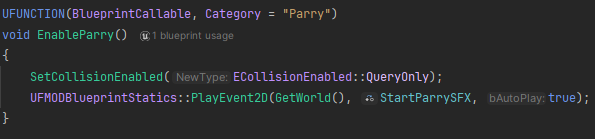
To implement our player character's ability to parry certain attacks, I utilized an animation state which enables the hitbox of a sphere that can collide with parryable actors. The animation notify calls a c++ function in the reflection component to enable collisions with parryable objects.
The parry collision sphere checks for a "Parryable" interface, sending the target location and parry impact point to the parried actor. This decouples the behaviour of the player parrying and the parried actor.

Movement
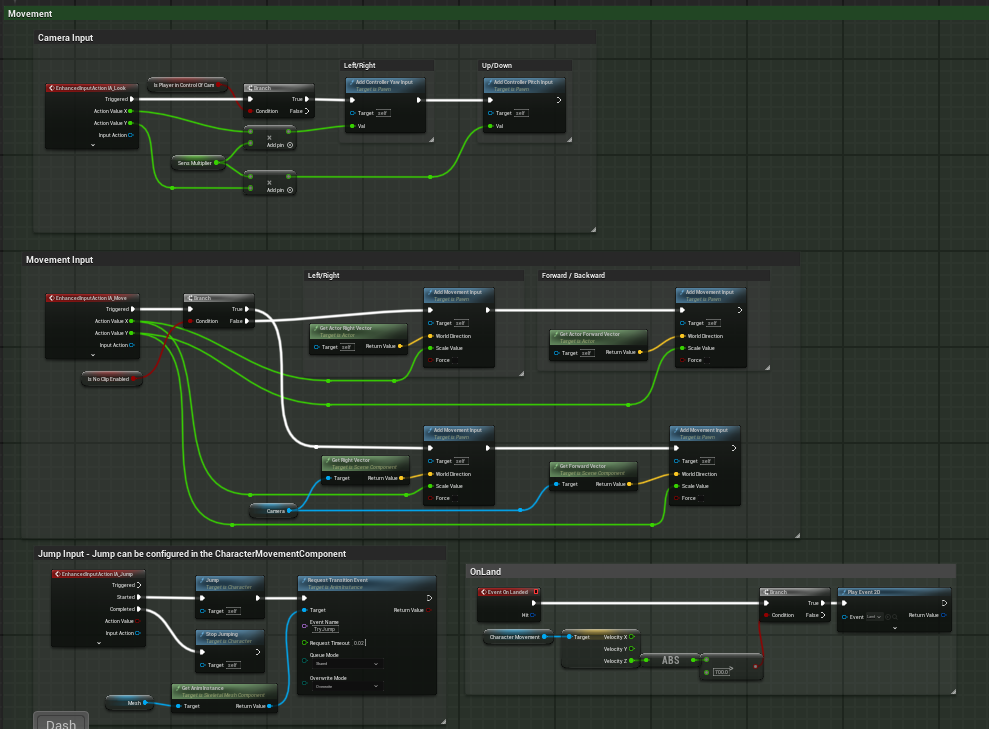
Since Unreal's character movement component (CMC) is so feature rich, I really didn't have to do anything more than link the enhanced input system to the CMC.
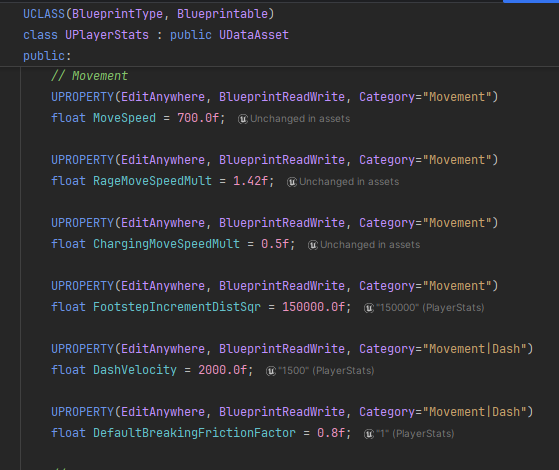
This is however a good place to mention the usage of data assets to decouple the tunable values a designer might use from the blueprint itself. Unfortunately, Unreal serializes blueprints in binary, which means if a designer wants to change a default value, it would cause a merge conflict with anyone who might be editing the blueprint logic itself. Using data assets decouples values from the blueprint, and also aids in organization and ease of use.
Health
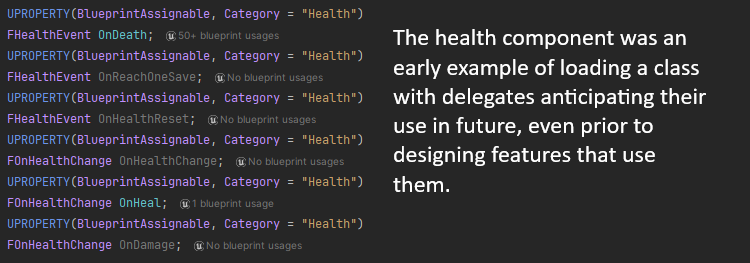
Health components are a classic & hugely common piece of game design. Rage Quit's health component is quite standard, with its primary outstanding feature a hidden "one save", where if the player would be killed by an attack, instead they're set to 1 health, with the next instance of damage killing them. This was a feature I suggested, which was accepted by my designer.
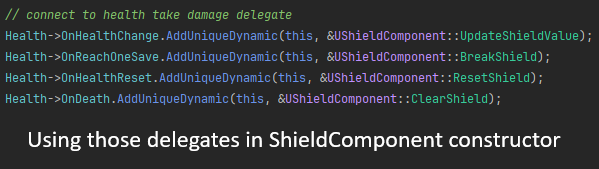
I designed the shield component after the health component, utilizing features of the health component to simplify the design of the shield component.
Rage
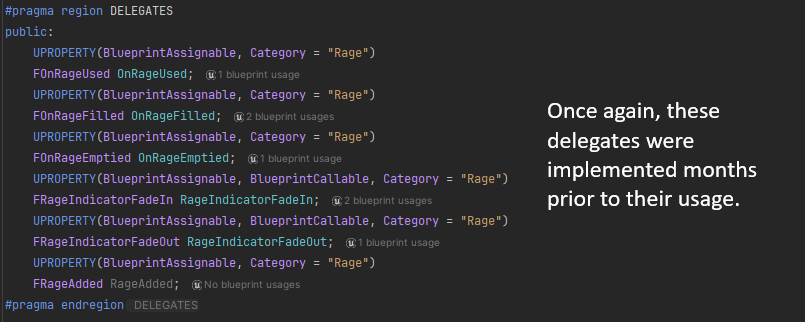
The player gains a resource called rage as they destroy the environment, eliminate enemies, or destroy rage vending machines. Much like the health component, many features of the rage mechanic weren't envisioned at the beginning of creating the feature. Anticipating potential features, I also created delegates in the rage component that fired at certain moments.
NPC AI & BEHAVIOUR
We had 4 main NPCs in Rage Quit, with some shared & some different behaviour: the coworker bot, the melee bot, the ranged bot, and the charging bot.
Working with NPC AI in Unreal was a huge learning curve for me, having not only never worked with Unreal's systems, but having never created proper enemy AI in any of my games. I utilized proper class separation and inheritance, with a tree of controllers, characters, behaviour trees, blackboards, and animation blueprints. Wrapping my head around the separation of responsibilities for all of these classes was quite a challenge, taking nearly a week to implement everything.
Enemy behaviour can be broadly understood as being comprised of navigation, decision making, and behaviour.
Base bot (coworker)
The coworker bot, having the least complex behaviour out of all the NPCs, shares most of its behaviour with the base bot class.
Melee bot
Builds on the base bot with close-range aggression, closing distance and pressuring the player directly.
Ranged bot
Builds on the base bot by keeping distance from the player and attacking from range instead of closing in.
Charging bot
Builds on the base bot with a telegraphed charge attack that punishes the player for standing still.
PHYSICS & CHAOS
Chaos explosion
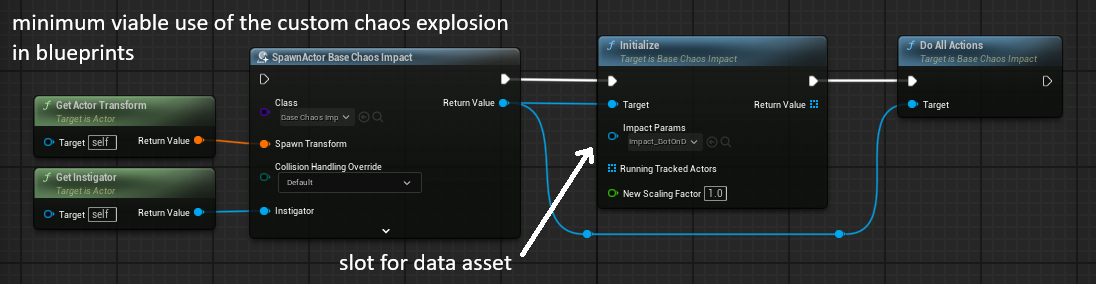
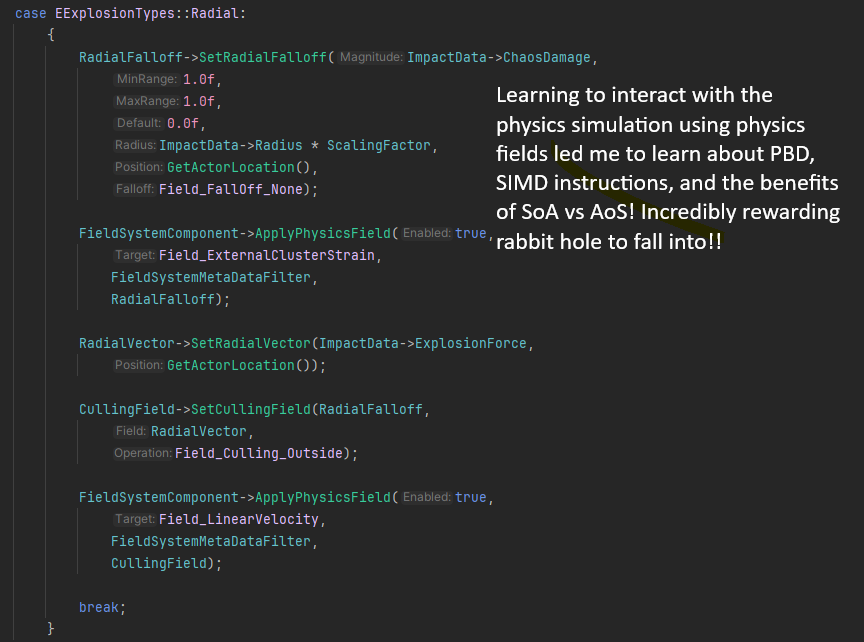
Early prototyping revealed that using physics collisions directly to drive the destructible props was error- and complication-prone. What happens to an animation that interacts with physics? Do broken pieces of the environment cause further destruction? How performant can that be? Quickly, the solution became apparent: limit interaction with the destruction system to intentionally spawned physics fields.
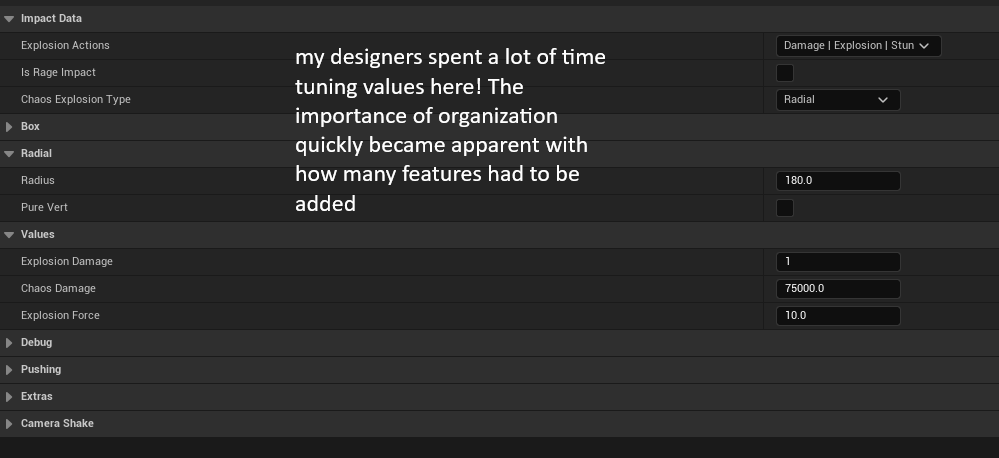
I created a physics field object with a wealth of tunable parameters, debugging options, and a bitfield of applyable effects. This made modifying the explosions trivial for my designers.
One specific case where the ease of modifying the effects of an explosion arose was when we were deciding whether or not the attacks from a ranged enemy would destroy terrain. Instead of using a different class for the bullet explosions, we could just change a bitfield that marked that the explosion would actually damage terrain.
Destructible props
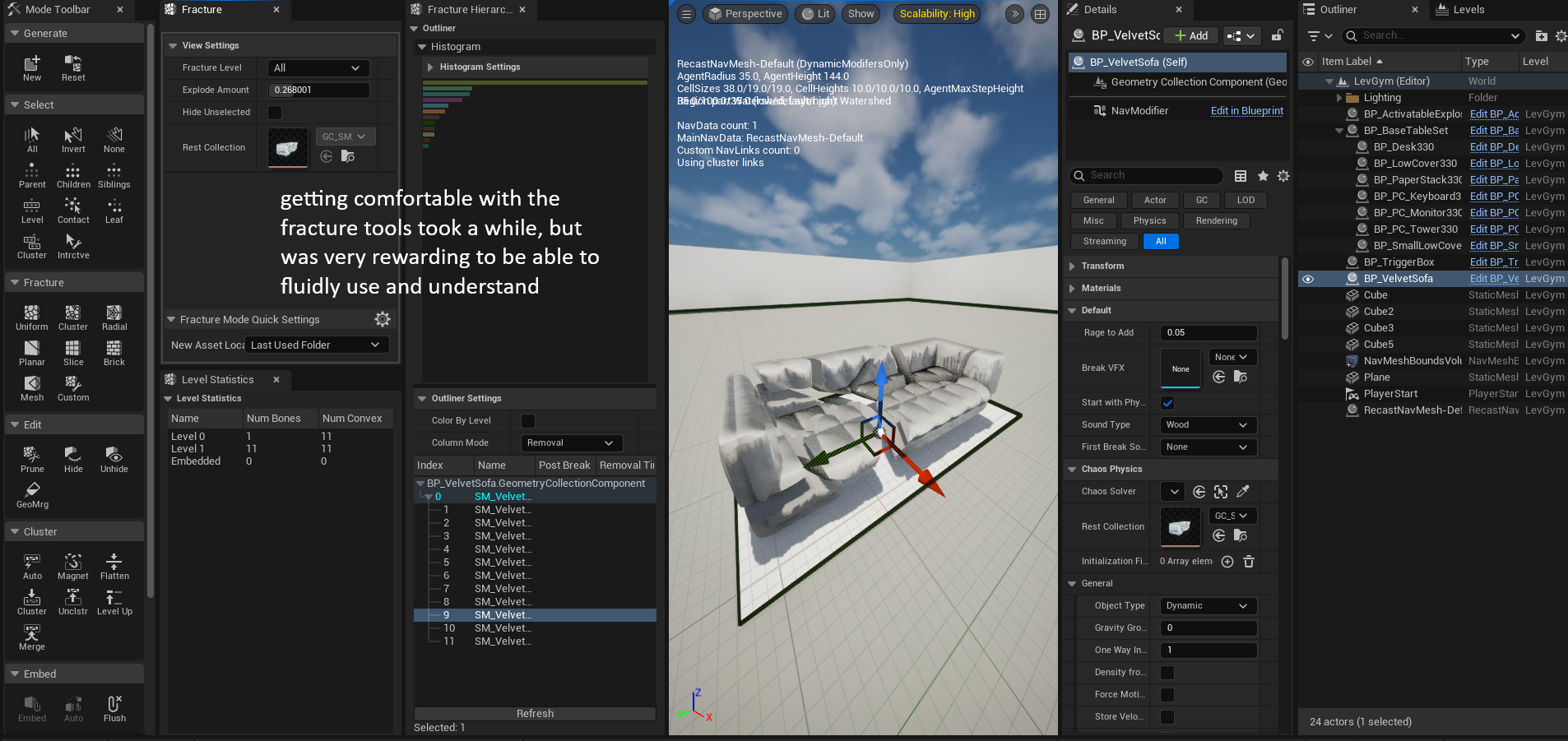
The destructible environment is a core mechanic of Rage Quit. Early iterations of the game's design focused entirely on the destruction, but about 30% of the way through development we switched focus to combat, with destruction as an enjoyable side effect.
A primary difficulty was ensuring that enemies could navigate through the environment even as it was destroyed. Complete reliance on Unreal's dynamic navmesh proved to be too performance intensive for use, so a custom system utilizing navmesh modifiers was developed. Navmesh modifying bounding boxes were automatically generated in engine, which were then disabled on the initial destruction of a prop.
ANIMATION CONTROLS
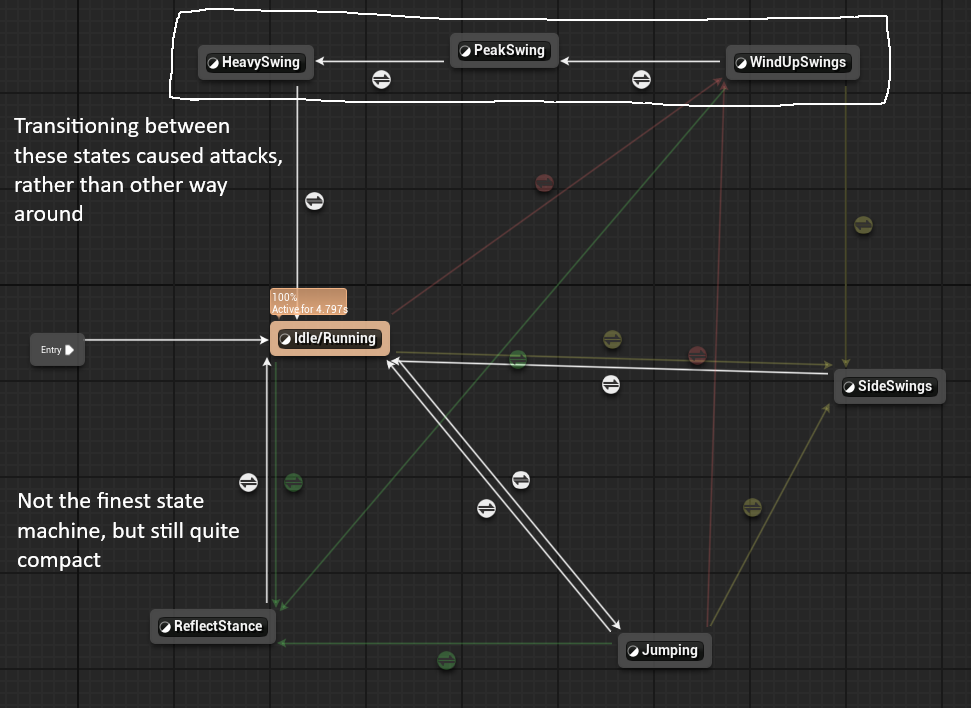
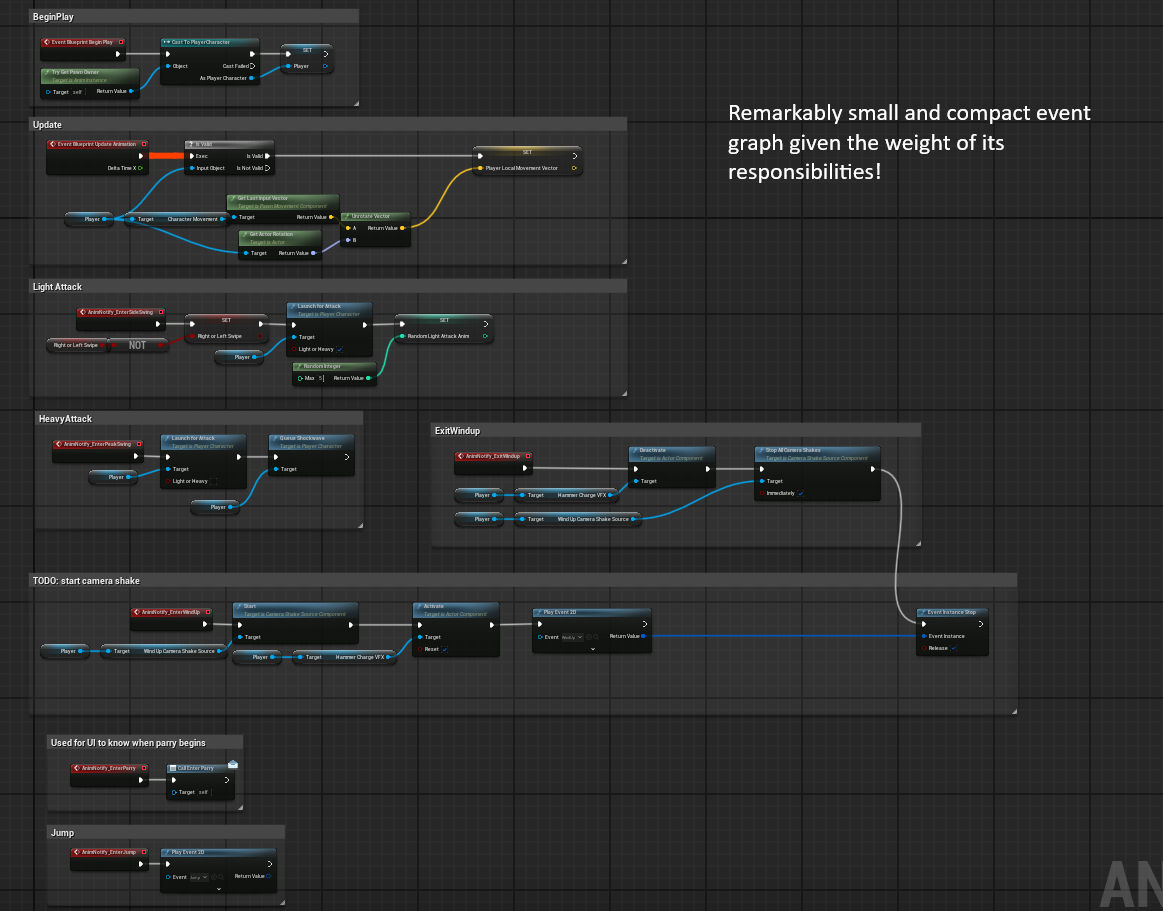
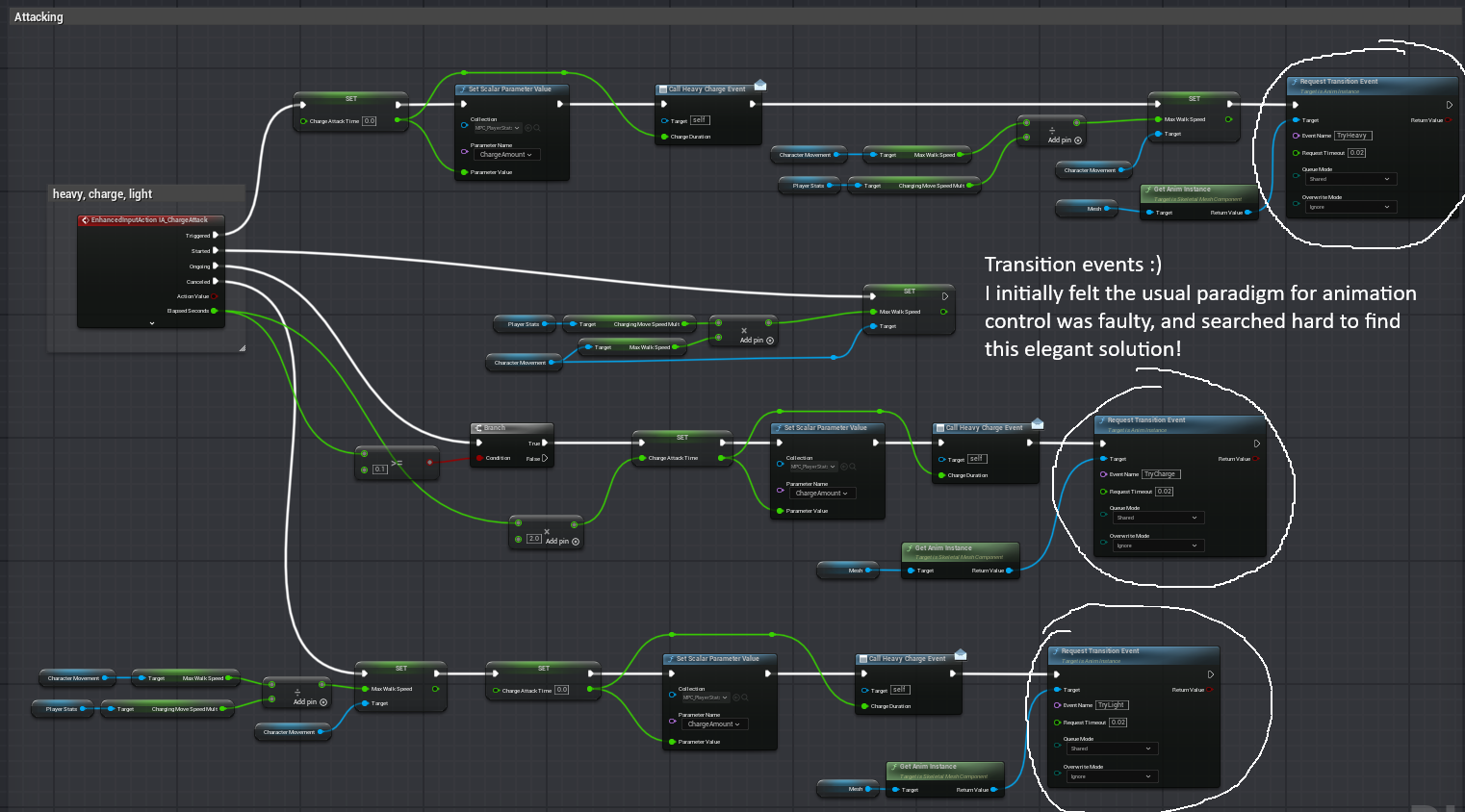
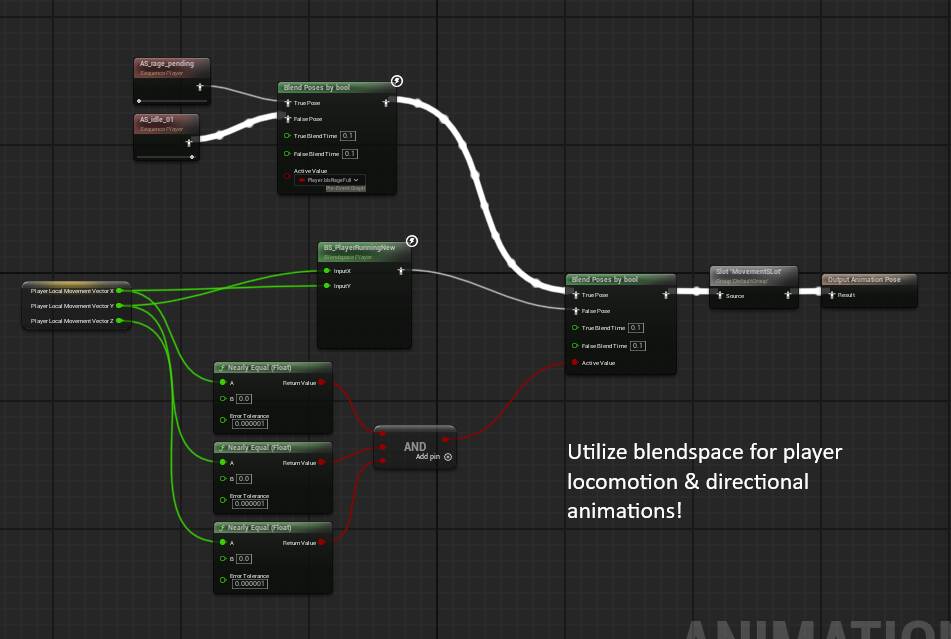
I implemented all player & enemy animations, utilizing animation blueprints, transition events to reduce controller code, and blendspaces for directional locomotion animations. Considering the number and depth of animations & required behaviour, the locomotion state machine, event graph, and control graph are all small and modular.
Attack behaviour was actually animation controlled, so that starting the animation calls the attack, rather than the other way around, reducing the amount of information that needs to be passed from the player blueprint to the animation blueprint.
SUBTITLES & FMOD
shaders are broken on my laptop :(
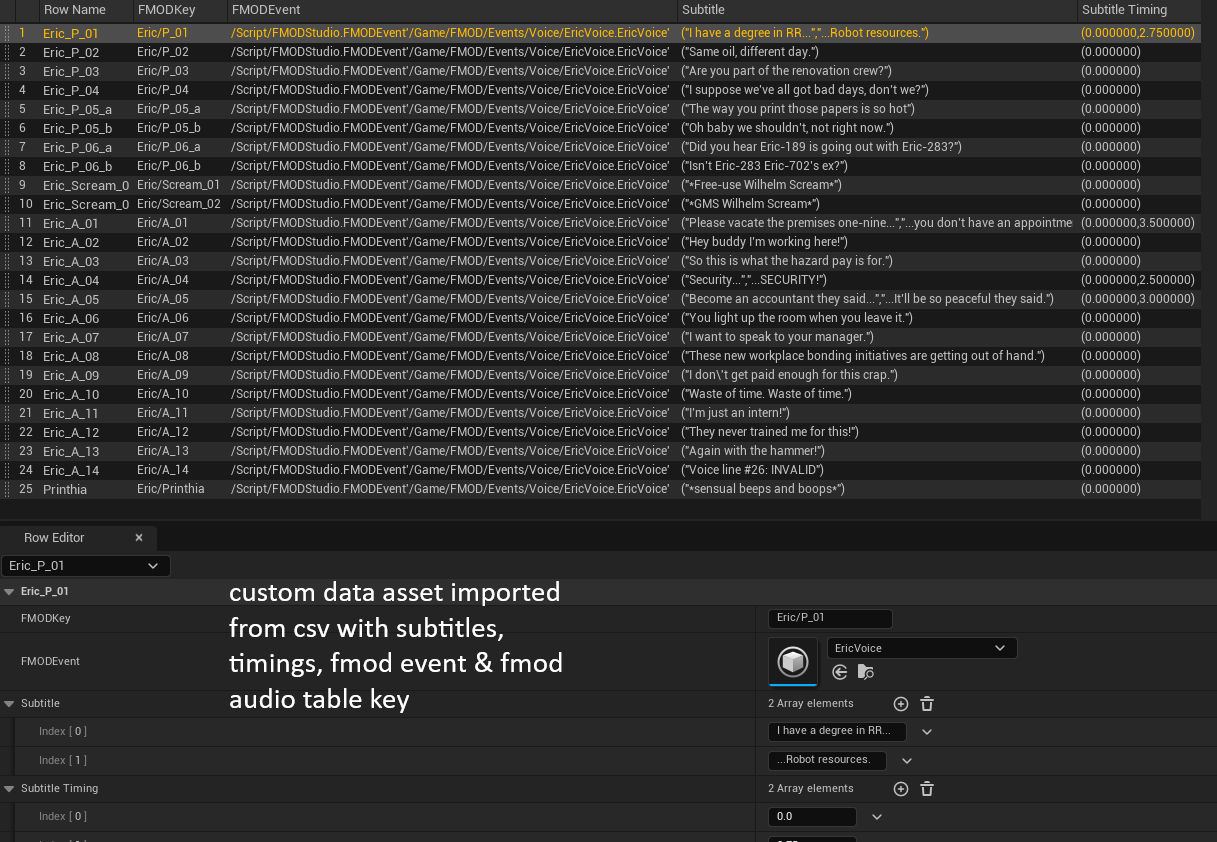
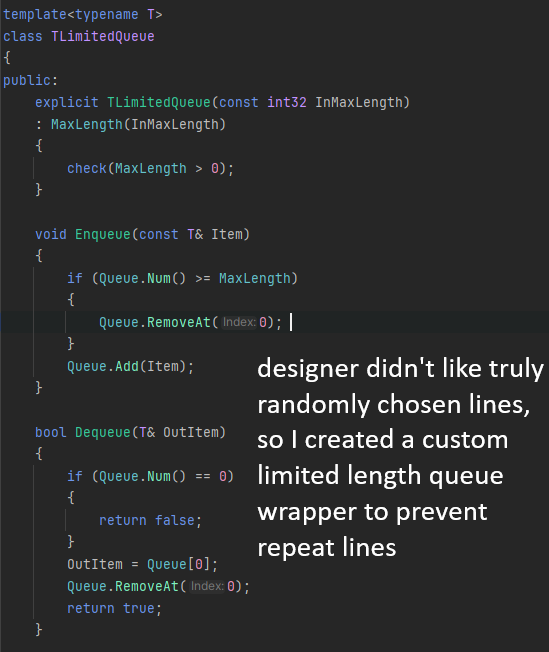
Subtitles were one of the last features implemented in Rage Quit, but they were still a huge learning opportunity for me. The first iteration of the subtitle system relied on Unreal's sound assets & their built-in subtitle feature, but this brought forth 2 main problems: it routed audio away from FMOD, which my sound designers weren't happy with, and it relied on Unreal's subtitle system, which doesn't have the level of customization necessary (multiple fonts per line, screen space positioning, shaders).
The system then adapted to use FMOD's audio tables combined with a custom data table in Unreal to handle subtitles, timing, effects, etc.
AUDIO SYNCHRONIZED HEARTBEAT
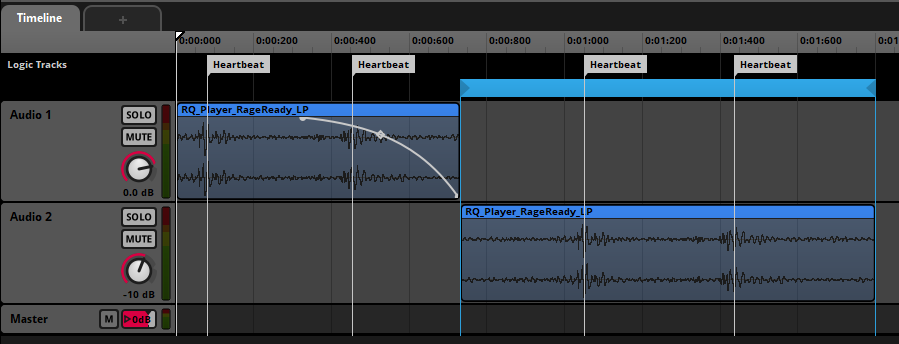
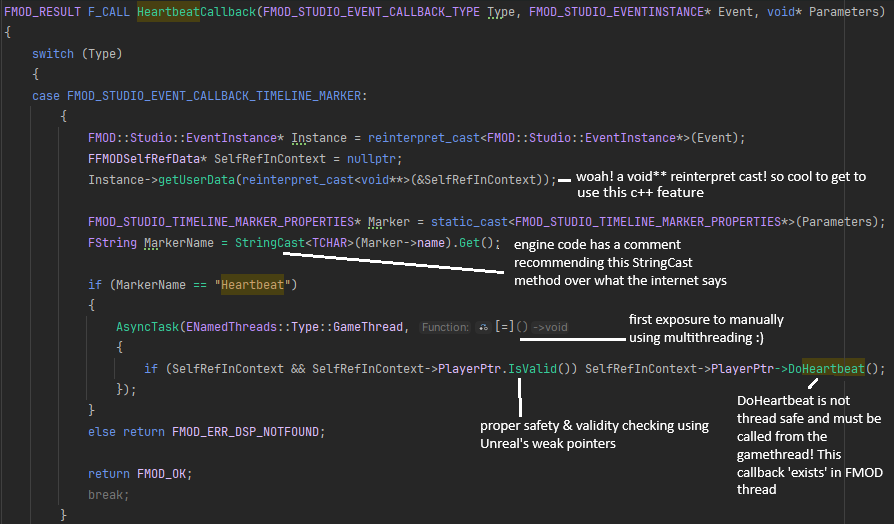
Used FMOD's marker system to generate callbacks when certain points in audio playback are reached. The FMOD callback broadcasts an event in the gamethread that can be listened to from the UI thread to shake the "Press R" element in the UI, and play a timeline that changes the post-processing effects on the player camera, causing colour and FOV adjustments, and subtle chromatic aberration.
I implemented this feature after struggling through my subtitle system, and the experience I gained from developing that feature made implementing this one a breeze.